
SOLIDWORKS 3D CAD
The industry standard 3D CAD solution, complete with cloud functionality that brings real-time collaboration and
secure file management to your workflows.
What is SOLIDWORKS 3D CAD?
SOLIDWORKS® 3D CAD is the choice for professionals around the world who need to take design innovation further, produce products faster, and reach the highest levels of efficiency in their day-to-day product development work. Decades of user-driven enhancements and a relentless R&D focus on user experience has made SOLIDWORKS 3D CAD not just powerful, but both easy to learn and fun to use.
- Trusted industry standard solution
- Powerful and proven 3D modeling capabilities
- Production-ready documentation and 2D drawing solutions
- Intuitive user interface designed by engineers, for engineers to use
- Built-in real-time collaboration tools for sharing and marking up designs
- Secure, CAD-aware cloud file and revision management
- Out-of-the-box ideation to manufacturing workflows
- Integrated simulation, rendering, and CAM tools
How You Benefit from SOLIDWORKS 3D CAD
Professional 3D CAD
Intuitive UI Made for You
Design Together
SOLIDWORKS 3D CAD Capabilities
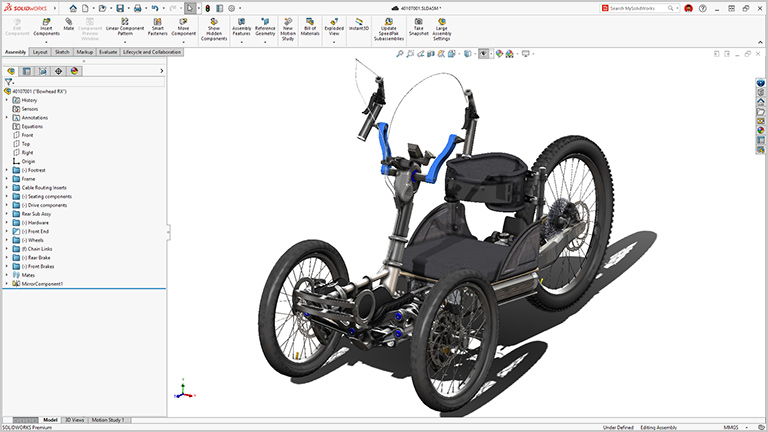
From complex design modeling, parts, and assemblies to simulation, rendering, and production-ready fast, associative, painless drawings and updates, SOLIDWORKS 3D CAD is the professional, industry standard choice to bring you from ideation to manufacturing faster and easier.
Everything You Need from Design to Manufacturing
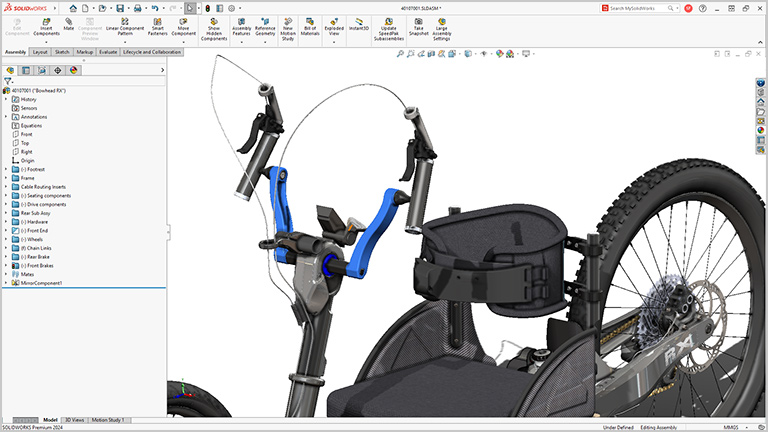
- Parts, assemblies, large design review, robust modeling and more give you design and performance capabilities that push the boundaries of your imagination and can keep up with the most complex products and large assemblies.
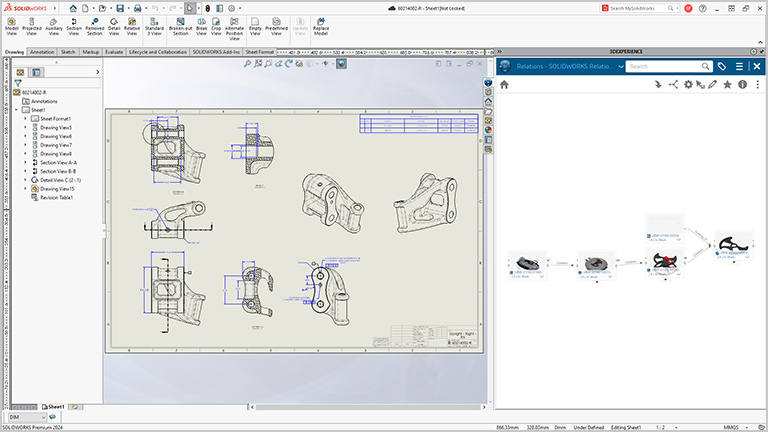
- Professional drawings are fast, associative, and production-ready. Whether you prefer 2D drawings or 3D annotations or you require CAM capabilities, SOLIDWORKS 3D CAD brings you from ideation to production with ease.
- New performance and capability enhancements are released throughout the year, ensuring you are always working with the latest professional product development tools on the market.
Supercharge Your Everyday Productivity
- Specialized functionality handles everything from weldments and routing to mold design, sheet metal, and more.
- SOLIDWORKS Toolbox covers your needs for creating holes and assembling hardware items, such as fasteners, washers, nuts, and bolts.
- Built by engineers, for engineers. SOLIDWORKS 3D CAD has evolved by anticipating future design requirements, understanding how you want to work and implementing user-driven enhancements over 30+ years
Turn Your Documentation Into a Conversation
- File sharing made easy. Share your design for review with secure links from SOLIDWORKS 3D CAD without sending a physical file and never lose control of your data.
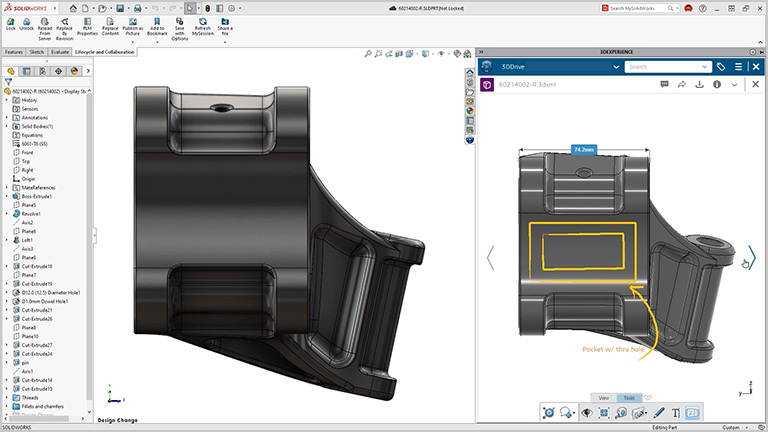
- Markup in 3D. Get easy feedback from stakeholders. Models can be shared for review and marked up directly by multiple people in 3D, all in a browser.
- Remove friction for immediate feedback. Internal and external collaborators do not need to download any extra software or viewers to review your work—it is all done through SOLIDWORKS.
Built-in Cloud Data Management
- CAD-aware storage. Unlike standard cloud storage providers, SOLIDWORKS 3D CAD comes with CAD-aware cloud storage that is made to handle relationships between CAD files.
- Complete version control ensures you are working on the latest revision and avoiding overwrites.
- Assistive and automated features cut repetitive tasks and streamline 3D CAD workflows for maximum productivity.
Compare SOLIDWORKS 3D CAD Packages
| Capabilities | Solidworks Standard | Solidworks Professional | Solidworks Premium |
| Cloud Collaboration, and Data and Lifecycle Management | |||
| Real-time Cross-team Collaboration in the Cloud | |||
| Secure Data Management (Version Management) | |||
| 3D Design and Modeling | |||
| Part and Assembly Modeling and 2D Drawings | |||
| Specialized Design Tools for Weldments, Molds, and Sheet Metal | |||
| Design and Manufacturability Checks | |||
| ECAD-MCAD Collaboration | |||
| Intelligent CAD Libraries | |||
| Manufacturing Cost Analysis | |||
| CAD Standards and Drawings Checking | |||
| Electrical Harness, Piping, Tubing, Duct Design, and Surface Flattening | |||
| Marketing | |||
| Augmented Reality and Virtual Reality | |||
| Life-like Photorealistic Rendering | |||
| Simulation | |||
| Linear Static Analysis for Parts and Assemblies | |||
| Time-Based Motion Analysis | |||
| Manufacturing | |||
| Additive Manufacturing and NC Programming | |||
| Training and Support | |||
| Online Lessons, Local Support, and Vibrant Community | |||
Frequently Asked Question
3DEXPERIENCE SOLIDWORKS has the same 3D CAD functions, capabilities, and user interface as SOLIDWORKS 3D CAD. The main difference between the two is how they are purchased and deployed: 3DEXPERIENCE SOLIDWORKS uses a named user license and is deployed from the cloud, allowing it to be installed on any PC. SOLIDWORKS 3D CAD uses a term license or perpetual license with subscription services and can be installed on one PC. Learn more about licensing options.
Yes, they are the same file types. 3DEXPERIENCE SOLIDWORKS and SOLIDWORKS 3D CAD files are 100% compatible.
SOLIDWORKS Connected is an application included with 3DEXPERIENCE SOLIDWORKS. SOLIDWORKS Connected provides access to all of the 3DEXPERIENCE platform services and tools that you are entitled to based on your license.
3DEXPERIENCE SOLIDWORKS is a parametric modeling software deployed through a named user license. 3DEXPERIENCE SOLIDWORKS is installed locally, but can be installed and accessed on multiple devices via your named user license. 3DEXPERIENCE SOLIDWORKS has the same 3D CAD functions, capabilities, and user interface as SOLIDWORKS 3D CAD. SOLIDWORKS Cloud is a collection of entirely next-generation, browser-based modeling tools that can be used on any device, anywhere, at any time.
3D Creator is a next-generation browser-based parametric design tool included with 3DEXPERIENCE SOLIDWORKS Standard, Professional, and Premium. Featuring the xDesign application, easily design on the go and access your 3D data through any browser.
3D Sculptor is a next-generation browser-based freeform sub-division modeling tool included with 3DEXPERIENCE SOLIDWORKS Professional, and Premium. Using the xShape application, you can take a freeform approach to modeling complex shapes and surfaces through any browser.
Manufacturing Definition Creator is a next-generation browser-based documentation solution that combines model-based and drawing-based capabilities in one integrated solution. With the xDrawings application, included with 3DEXPERIENCE SOLIDWORKS Standard, Professional, and Premium, you can easily define 3D models and quickly produce 2D drawings from them in a matter of mouse clicks.
Named user Licensing offers many advantages in terms of cost, access, and flexibility. Benefits include:
- Lower upfront costs
- No local server is required for license hosting
- Flexibility to log in and securely access software on multiple devices
- Flexibility to change products at the end of each term
- Administrators can easily adjust software access for individuals or groups of users
- No serial numbers to manage and store
- Immediate access to software upgrades
3DEXPERIENCE SOLIDWORKS can be purchased through an expert Reseller Partner or online. Visit the online store page for current pricing or contact us to discuss flexible options, including low-cost, term-based licensing with an expert Reseller Partner.
Learn more about the 3DEXPERIENCE SOLIDWORKS system requirements
3DEXPERIENCE SOLIDWORKS for Makers offers SOLIDWORKS design and manufacturing solutions at a low cost for any maker. Learn more about 3DEXPERIENCE SOLIDWORKS for Makers and start making today.
Security, privacy, and quality is at the center of 3DEXPERIENCE SOLIDWORKS. Our solutions are ISO-certified and are built with respect for the privacy of our clients and users. Visit the Dassault Systemes trust center to learn more about data protection compliance, information security certifications, and privacy information management.
3DEXPERIENCE SOLIDWORKS is a locally-installed program deployed from the cloud. A named user license gives you the flexibility to install 3DEXPERIENCE SOLIDWORKS on multiple devices. If you are interested in a purely browser-based solution, explore the suite of next-generation product development solutions available with SOLIDWORKS Cloud.
