
Kickidler Employee Monitoring Software
Get insights into your team work activities with comprehensive employee time tracking software.
Product Analysis
Time Tracking
Visual Monitoring
Tools for Self Monitoring
Data Loss Prevention
How Kickidler Improves Workflow

Increases employee productivity

Optimizes business processes

Protects your data from malicious intent
Automate Time Tracking Within Your Team
Kickidler employee monitoring software automatically collects data on the activity of your employees at the PCs and generates detailed reports:
shows the total time your employees spend working, the times when they arrive at work too late or leave it too early, and overall statistics on each employee.
is a consolidated report on the hours worked during a specified time period. It helps simplify accounting and HR operations.
includes a rating of the most frequently used applications and websites ranked according to the amount of time employees spend in each of them.
helps analyze in great detail the time employees spend in specified applications or on certain websites.
Analyze Employee Productivity & Identify Areas for Improvement
You can comprehensively analyze and determine actual productivity of your employees. These tools will help you
displays the chronology of all employee actions on the computer throughout the day, tracking websites, titles, and the time spent on them. It features a user-friendly graphical interface and a detailed view.
shows you everything your employees do in the apps you’ve classified as productive, neutral, or unproductive.
displays a comprehensive overview of the employee’s activity and productivity during the workday and presents detailed analytics on the nature of their activity.
collects data on changes in the productivity of certain employees or whole teams over certain time periods. This information helps you determine the work patterns of your team members and maximize their productivity.
shows an overall summary based on three types of activity: productive, unproductive, and neutral. That way you can understand straight away which employees set a good example and which team members should be monitored a bit more closely.
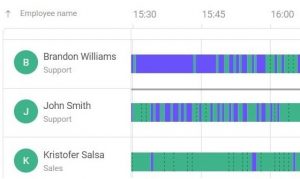
Online Screen Monitoring
Screen Video Recording
Violation Detection
Keystroke Logging (Keylogger)
Remote Access
Empower Your Employees to Supervise Themselves Autonomously with Self-monitoring Tools
- Configure automatic notifications
- Receive a report on notifications
- Set up an employee self-monitoring interface
Prevent Data Leaks with Kickidler:
Kickidler offers a comprehensive Data Leak Prevention (DLP) suite to help businesses protect their valuable data.
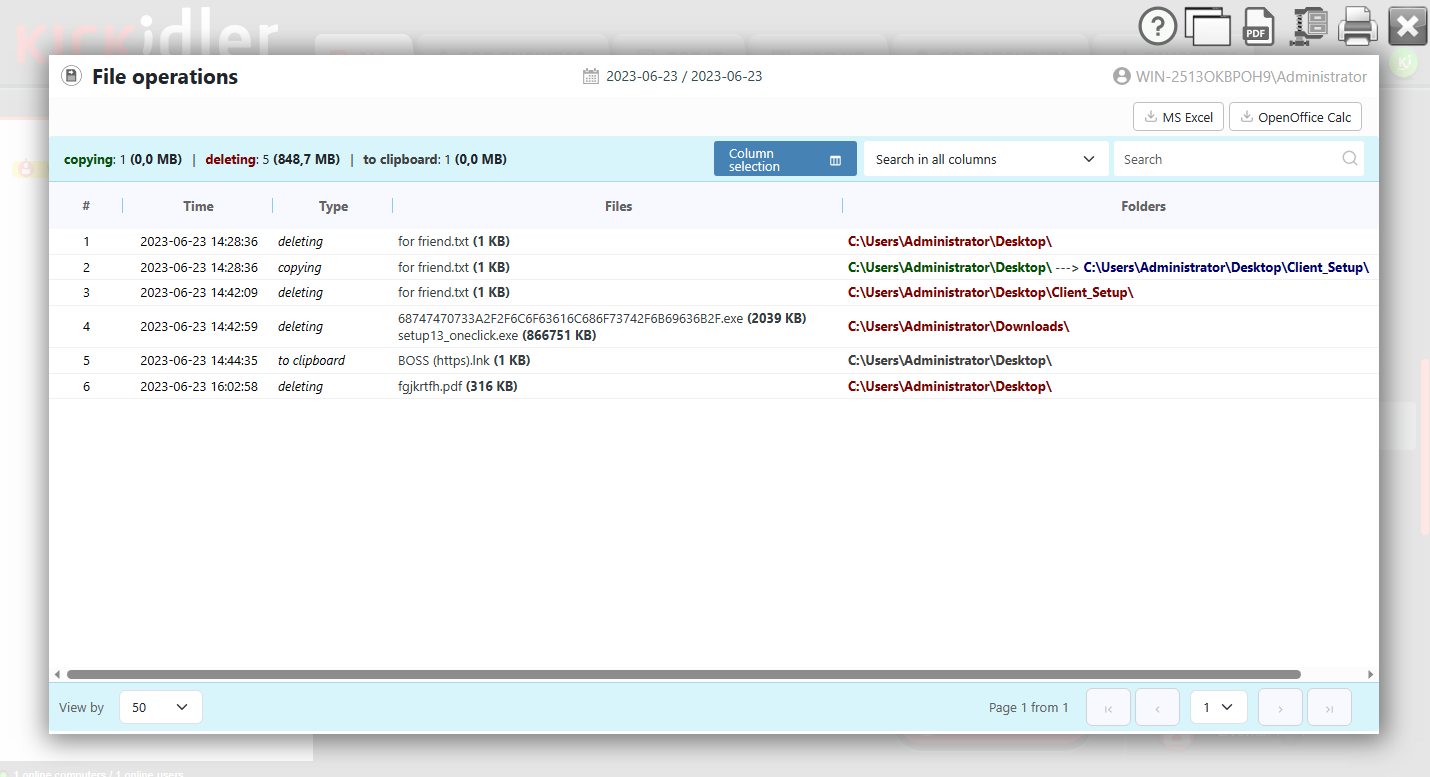
File Transfer Tracking & Blocking
Kickidler enables you to monitor and control file transfers within your organization. Track the movement of files and documents, and prevent unauthorized transfers that could lead to data breaches.
Protection Against Photographing the Screen
Prevent unauthorized screen capturing and protect your data from being leaked through screenshots or photographs. Kickidler Data Loss Protection Software actively blocks or alerts you when such activities are detected, mitigating the risk of data breaches.
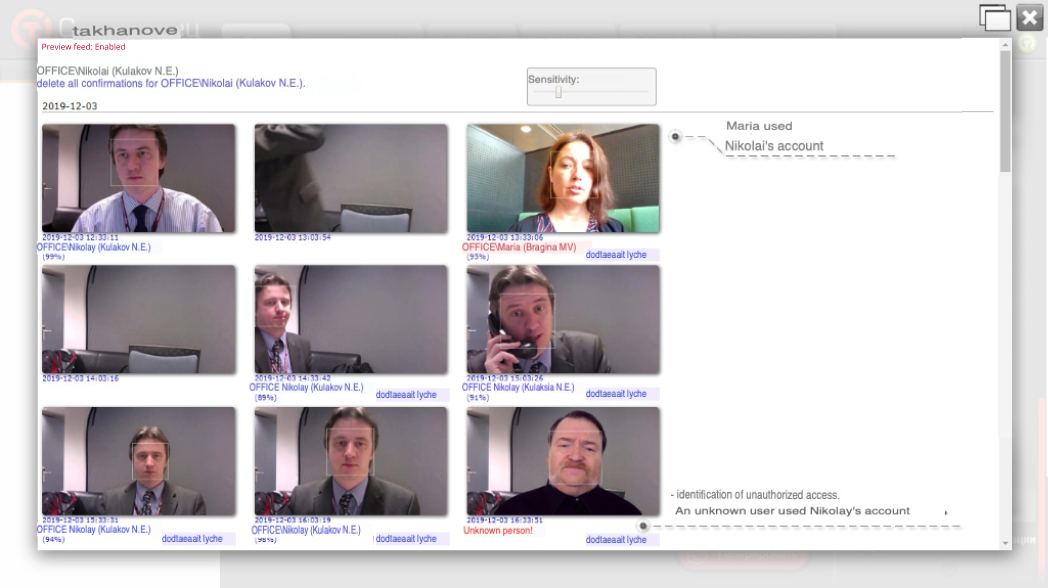
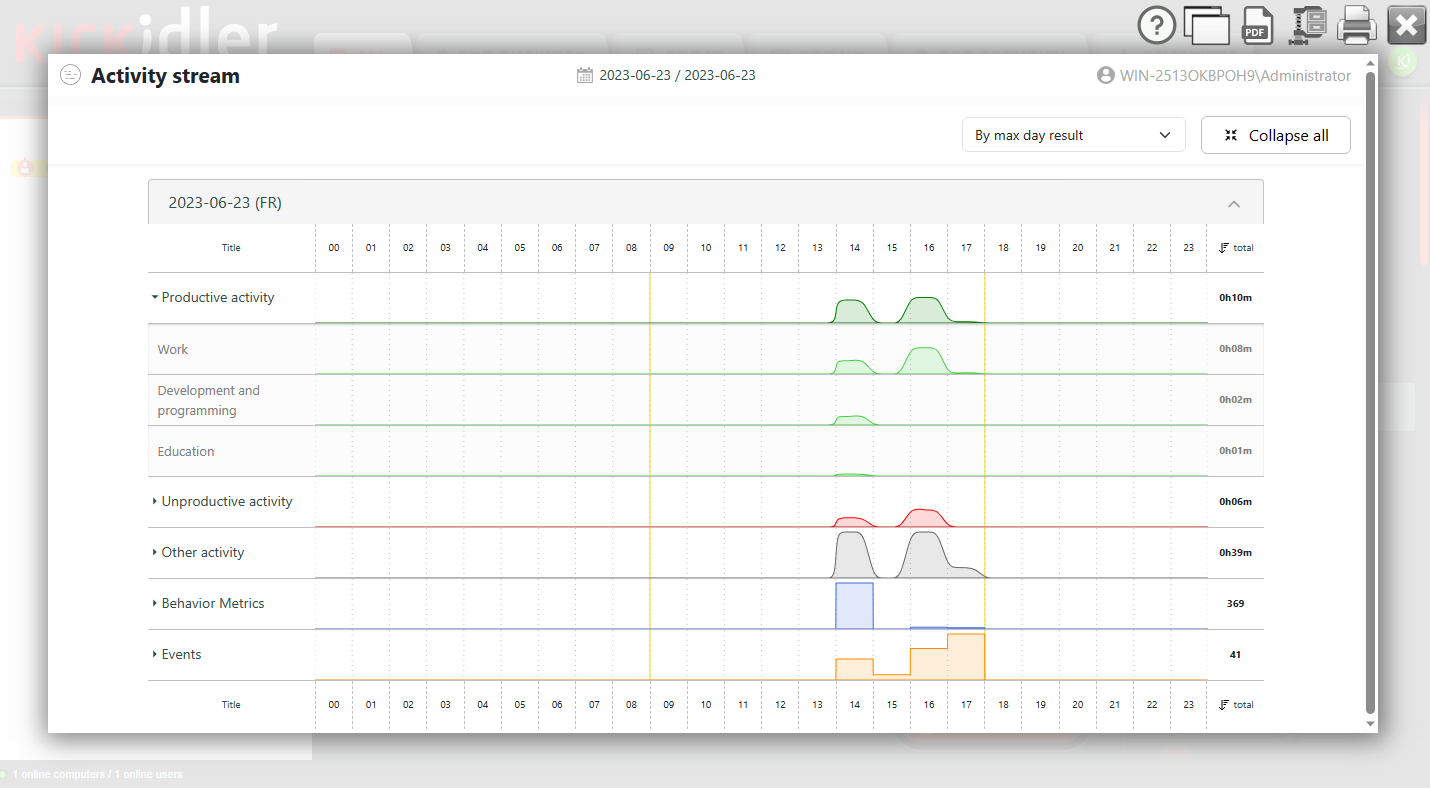
User Behaviour Analytics
Identify unusual user behavior patterns that may indicate potential data leaks. Kickidler’s DLP feature alerts you when employees deviate from their normal work habits, allowing you to investigate and take appropriate action.
Digital File Print
Track the printing of digital files such as PDFs, Word documents, or Excel spreadsheets. Kickidler’s DLP provides visibility into the printing or transferring of digital files, ensuring that confidential data remains secure.


Printed Document Tracking
Track printed documents within your organization. Kickidler DLP keeps a record of all printed materials, helping you identify any unauthorized or suspicious printing activities.
Biometric Data Recognition
Kickidler DLP functionality includes advanced biometric data recognition, including voice analysis. Detect and prevent leaks of sensitive information through audio recordings, ensuring your organization’s data remains protected.
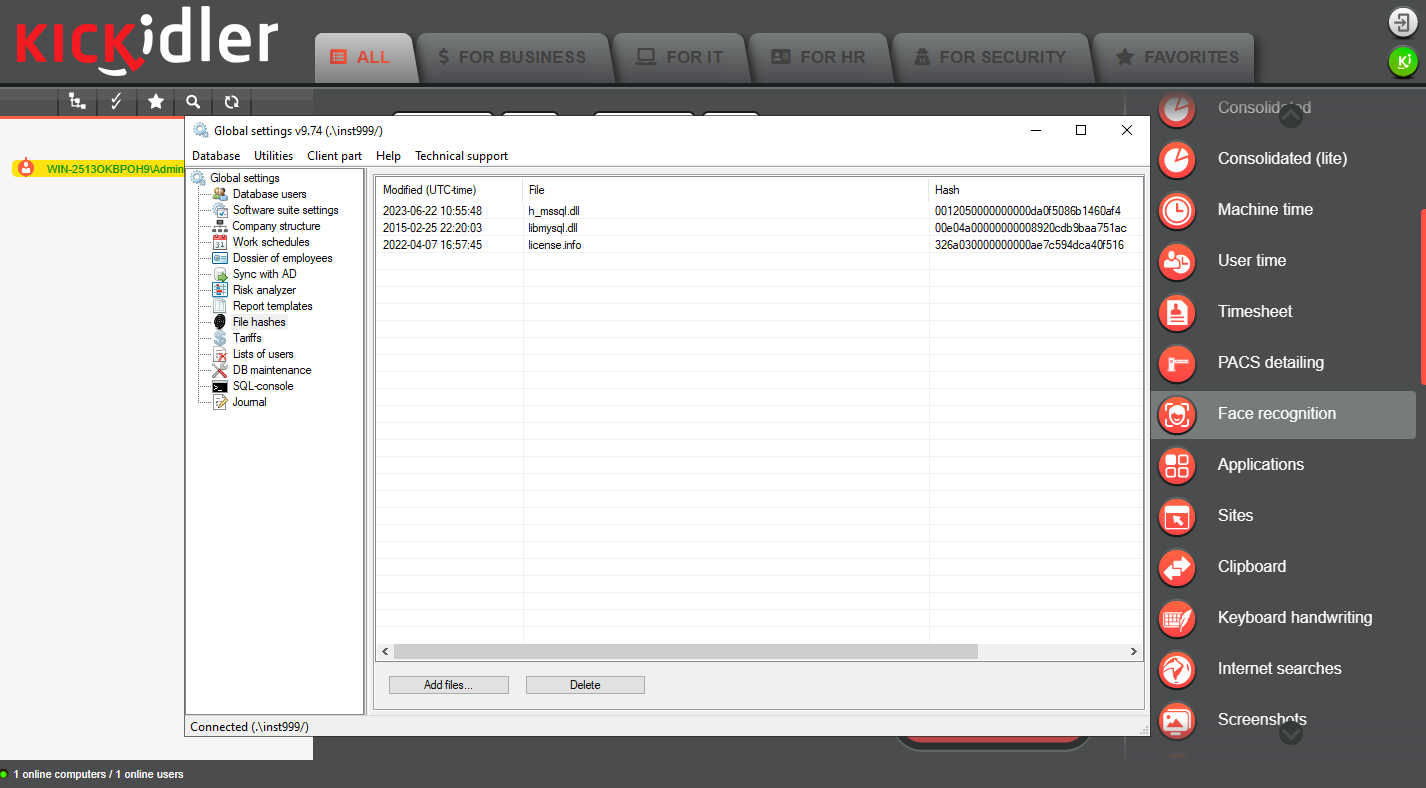
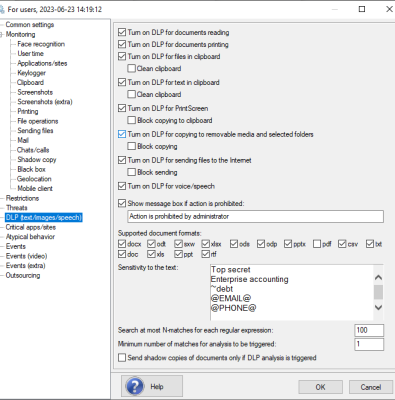
Optical Character Recognition (OCR)
Kickidler’s OCR capability allows you to extract text from scanned documents and images. This feature helps you analyze and monitor the content of documents, ensuring sensitive information is not mishandled or leaked.
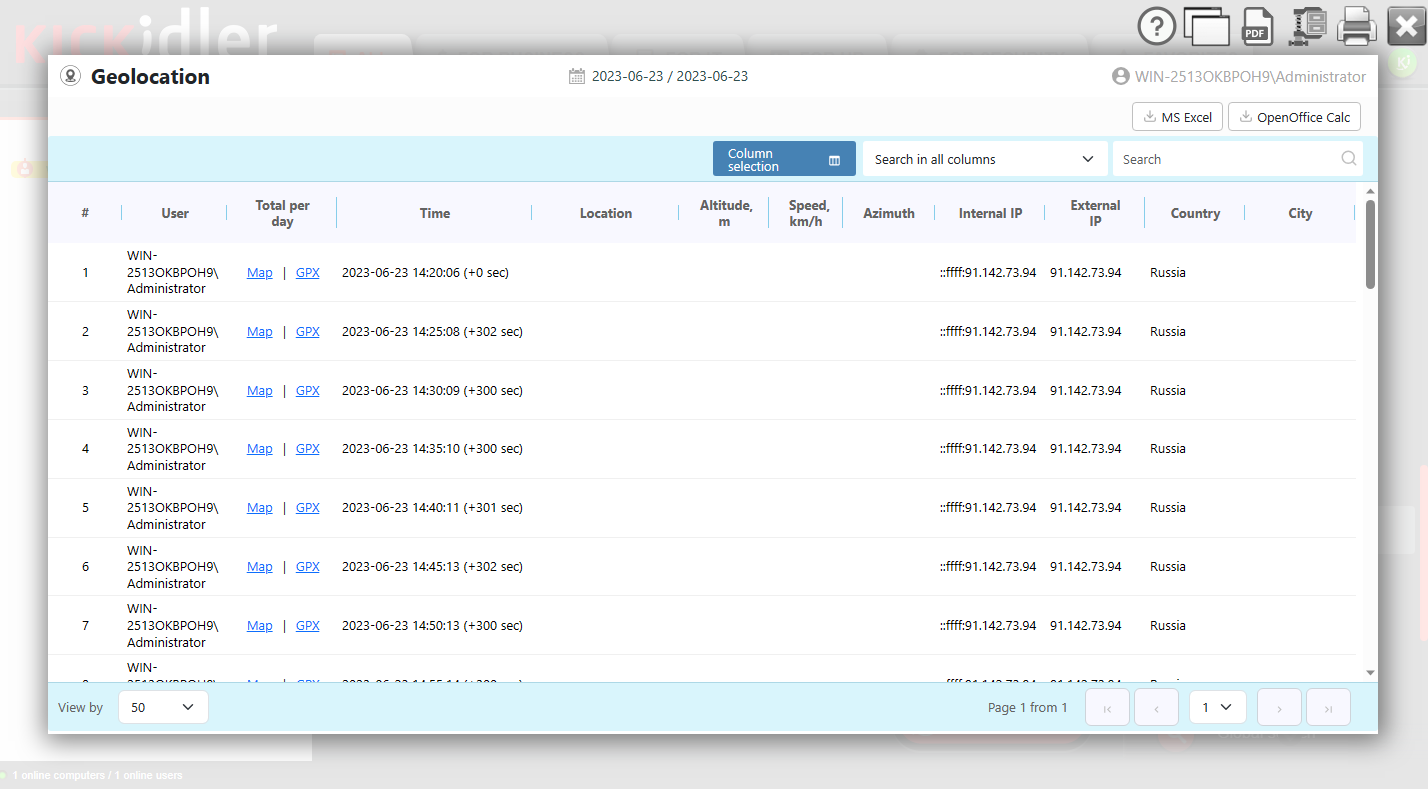
Geolocation
With Kickidler’s DLP geolocation feature, you can monitor the physical location of your employees’ devices. This helps prevent data leaks by ensuring that confidential information is not accessed from unauthorized locations.
Getting Started
Sign Up
Download Distribution Packages
Install Software Component
Start Monitoring with Kickidler's Help
Additional Features
GDPR Compliance
Convert& Transparent Monitoring
API
Kickidler Offline
Administrator & Manager Access
Sending Reports to Email
Pricing
Time Tracking
1 user/month billed annually
- From 1 up to 5000 users
- Time tracking
- Working hours report
- Activity History
- Time Sheet
- Time Report
- Activity History
- Time on web pages & apps
- Productivity Analysis
- Efficiency report
- Work dynamics report
- Employee Performance Rating
- “Details of the Day” report
- Self Monitoring Tools
- Automatic notifications
- Report on Notification
- Self-monitoring interface
- Additional Features
- Free Tech Support
- Updates
- API
- Hidden and visible types of installation
- Pre-configured list of 600 sites & apps
- Version without internet access
Employee Monitoring
1 user/month billed annually
- From 1 up to 5 000 users
- Visual Monitoring
- Real time monitoring
- Screen viedeo recording
- Voilation detection
- Key logger
- Remote access
- Time Tracking
- Working hours report
- Activity history
- Time sheet
- Time report
- Activity history
- Time on web pages & apps
- Productivity Analysis
- Efficiency report
- Work dynamic report
- Employee performance rating
- "Detailsof the Day" report
- Self Monitoring Tools
- Automatic notifications
- Report on Notification
- Self-monitoring interface
- Additional Features
- Free Tech Support
- Updates
- API
- Hidden and visible types of installation
- Pre-configured list of 600 sites & apps
- Version without internet access
Data Loss Prevention
1 user/month billed annually
- From 1 up to 20,000 users
- Insider Threat Prevention
- Detecting user behavior deviations
- Printed document tracking
- File operations monitoring and management
- Clip board monitoring
- File transfer tracking and blocking
- Protection from photographing the screen
- Data Misconduct Detection
- Hidden watermarks
- Digital File Print
- Biometric data recognition
- Employee voice recognition
- Access restriction to external resources
- Software and hardware configuration monitoring
- Continuous Data Monitoring
- Geolocation
- Instant message & phone call interception
- Microphonne audio recording
- Webcam screenshot capturing
- Web search monitoring
- Smart audio conversation analysis
- Smart keyboard behaviour analysis
- Employee Monitoring
- Real time screen monitoring
- Screenshots and video recording
- Attendance monitoring
- More than 40 detailed reports
| Per Month/ 1 PC | Per 3 Month/ 1 PC | Per 6 Month/ 1 PC | Per 1 Year/ 1 PC | Per 3 Year/ 1 PC | Perpetual |
| $9.9 | $19.5 | $29 | $41 | $78 | $130 |
| 18.99 | $32 | $53 | $79 | $145 | $300 |
| $143 | $310 | $410 |
Add-Ons:
$22 + $1 per user