Get instant insights into changes in Active Directory and Group Policy. Our free Active Directory auditing tool is fast, flexible, and built to boost efficiency.
Our Solution
Faster, smarter Active Directory monitoring
Changes can slip through Active Directory unnoticed — until it’s too late and a small change leads to big consequences. Manual tracking wastes time and leaves security gaps that put your data at risk. Our free Active Directory auditing tool shows you exactly what was changed, when, and where so you can spot issues faster and take action sooner.
Track Active Directory and GPO changes
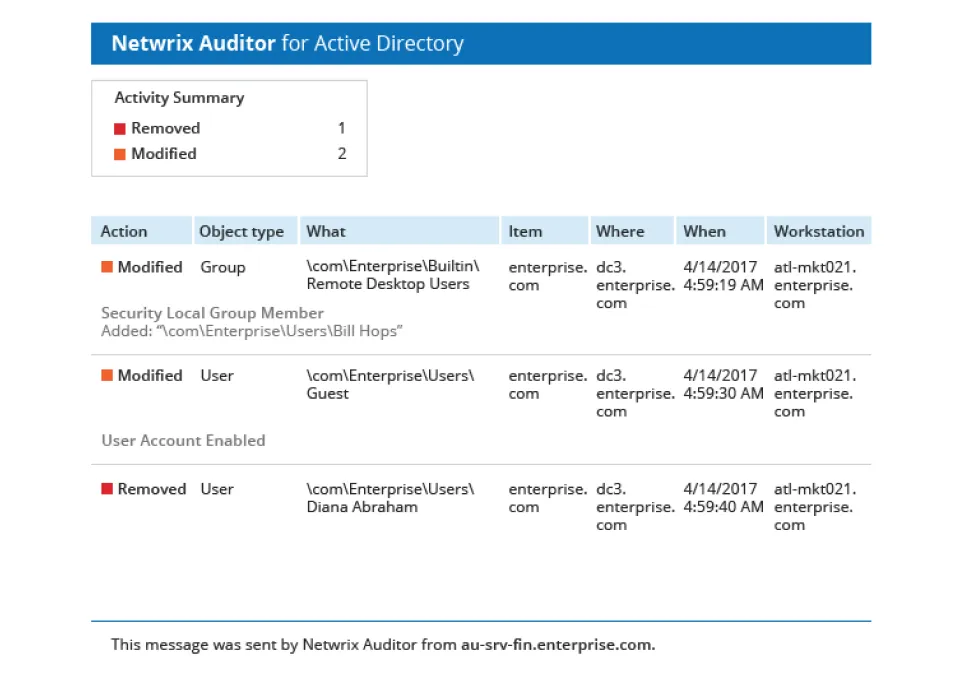
Monitor logons and what AD and GPO objects were added, removed, or modified with full before-and-after values.
Automate daily AD change reports
Aggregate data within AD/GPO and get daily email reports detailing logons and changes in your domain.
Fine-tune data for better efficiency
Do more with meaningful data and clear, actionable insights on every change. Your IT team will thank you.
No expiration date or hidden fees
Free means free. Use Netwrix Auditor for Active Directory for as long as you need it. Plus, try the full version for 20 days, on us.
Capabilities
Free features, smarter workflows
Logon & change tracking
Monitor all logons and changes to Active Directory users, groups, organizational units, Group Policy Object links, and more.
Before & After values
Get detailed information on every change, with values before and after each modification, to see exactly what changed.
Daily activity summaries
Stay on top of updates to your AD environment with daily summaries of changes and logons, delivered straight to your inbox.
What, When & Where Details
Get clear, complete details for every reported event, including details on what changed, when it happened, and where it occurred.
System Requirements
What you’ll need to get started
Hardware
Processor
2 cores
Memory
4 GB RAM
Disk Space
100 GB - System drive
100 GB - Data drive (Long-Term Archive and SQL Server)
Screen Resolution
Minimum 1280x1024
Recommended 1920x1080 or higher
Software
Operation System
Windows Desktop OS: Windows 11, Windows 10, or Windows 8.1
Windows Server OS: Windows Server 2025, Windows Server 2022, Windows Server 2019, Windows Server 2016, or Windows Server 2012 R2